Windows. Python Scripting

Automate your desktop.
Write Python, done.

AutoWork gives you a full Python API inside a built-in editor. Control mouse, keyboard, screen, files, and windows. no external tools, no setup headaches.

1import autowork as api
2
3# find image and click if present
4x, y = api.find_image(
5    300, 200, 1500, 900,
6    r"C:\Users\USER\Desktop\templates\play.png",
7    similarity=90
8)
9if (x, y) != (-1, -1):
10    api.left_click(x, y)
11else:
12    print("not found")
Project Manager

All your automations, organized in one place.

The home screen shows every project you have created. Each one has a title, description, and optional cover image. Click any project to open its editor and start running code immediately.
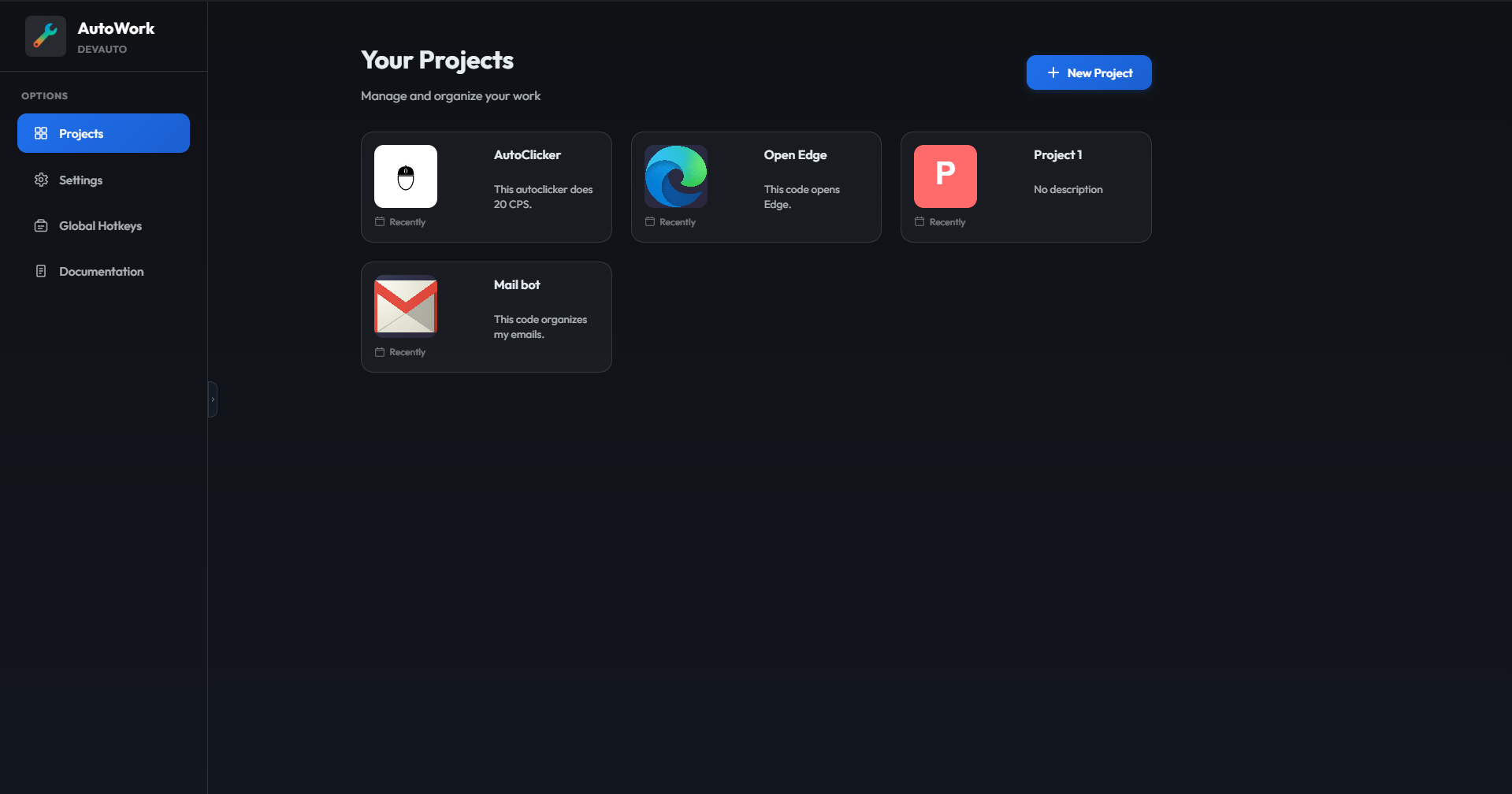
AutoWork home. project list
Settings

Configure AutoWork exactly how you want it.

Customize the stop key combination, set default editor preferences, and adjust runtime behavior. Every setting takes effect immediately without restarting the application.
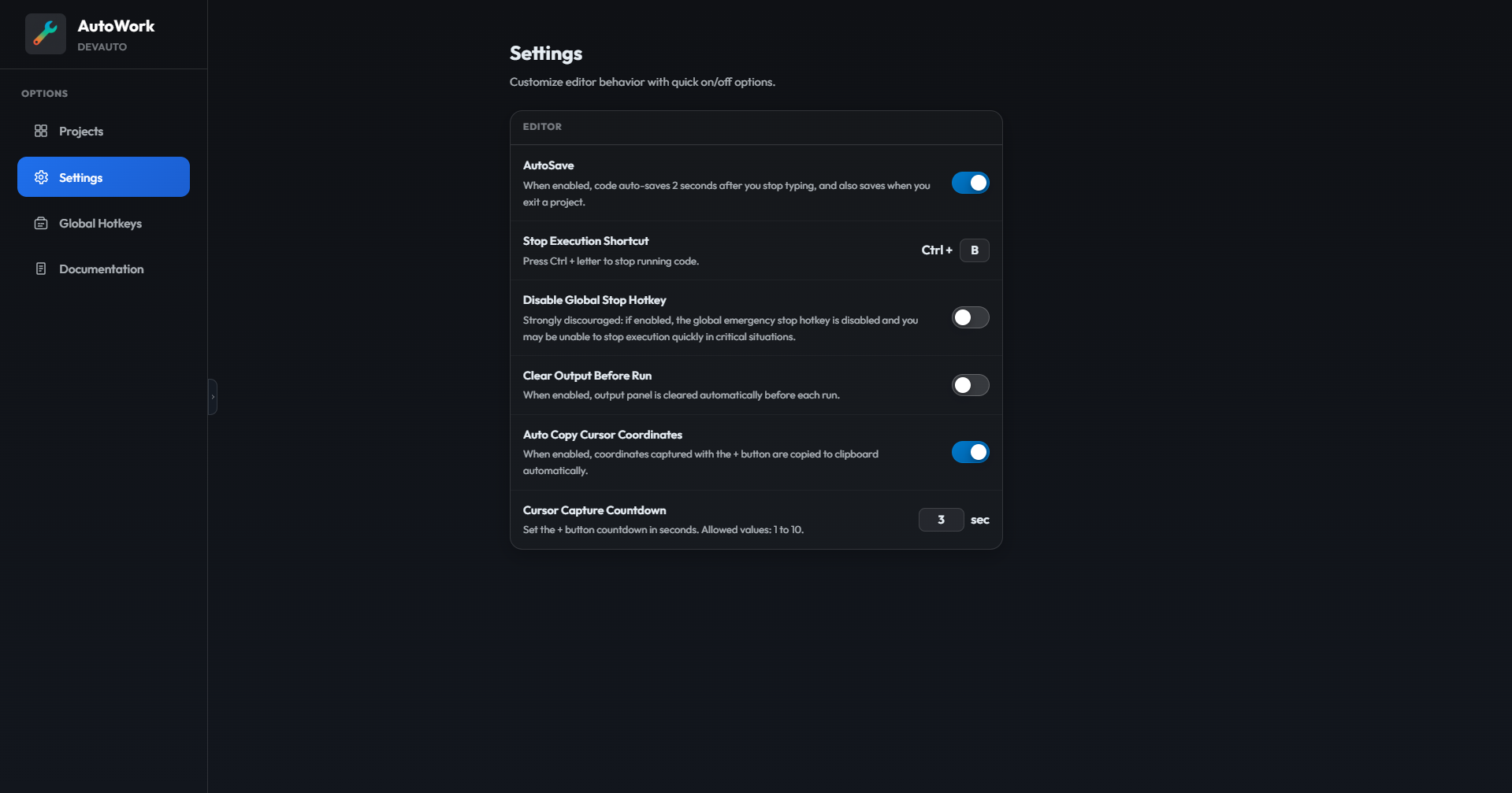
AutoWork settings panel
Global Hotkeys

Trigger any automation from anywhere on your desktop.

Bind a key combination to any project and set it to run, stop, or toggle. Shortcuts are registered at the OS level. they fire even when AutoWork is not in focus, and work fully headless via the CLI listener.
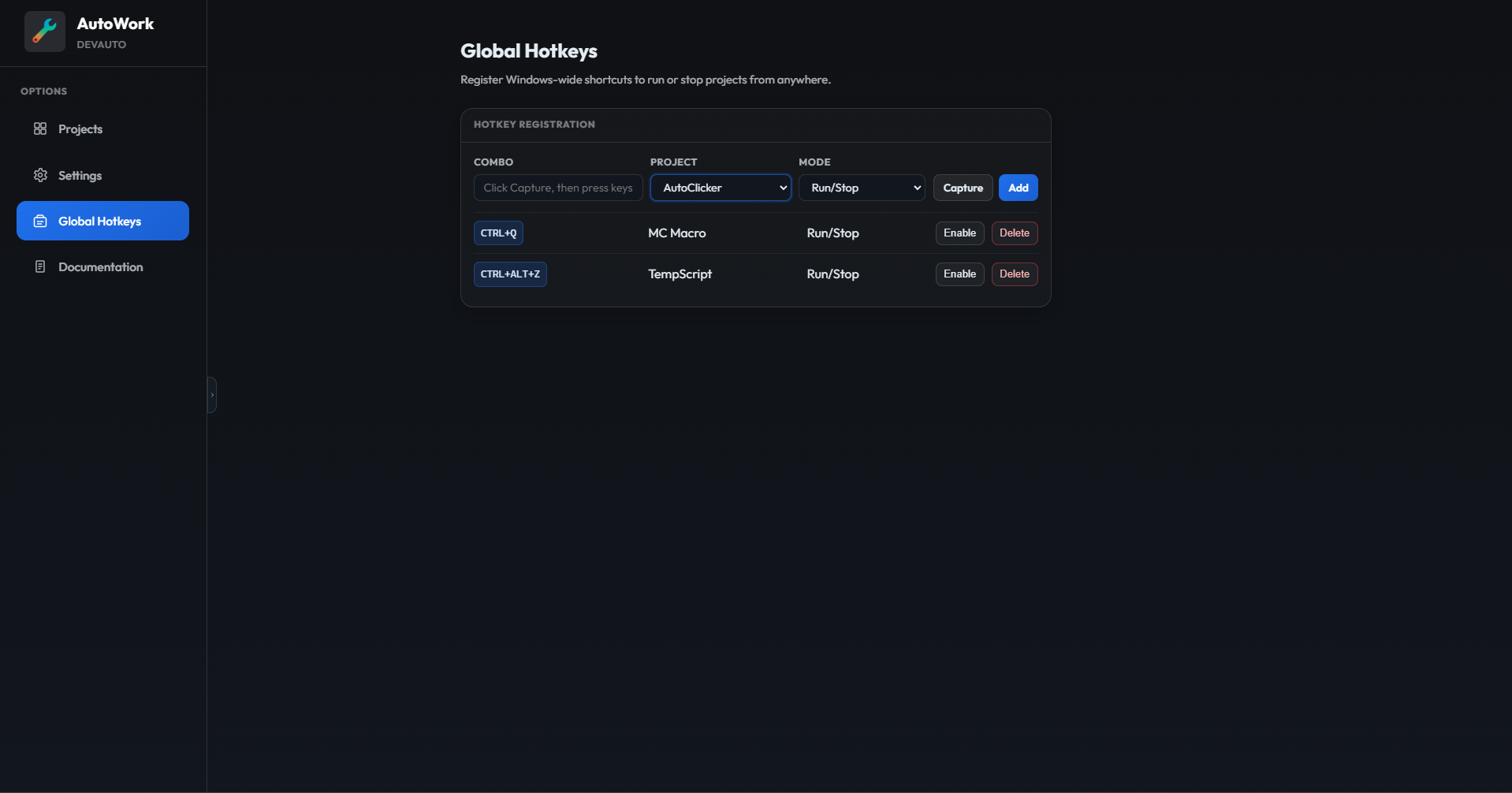
AutoWork global hotkeys
Built-in Editor

Write, run, and debug without leaving the app.

Scripts run directly inside AutoWork. Output appears in real time in the panel below the editor. Use the coordinate picker to capture screen positions and paste them into your code. no alt-tabbing needed.
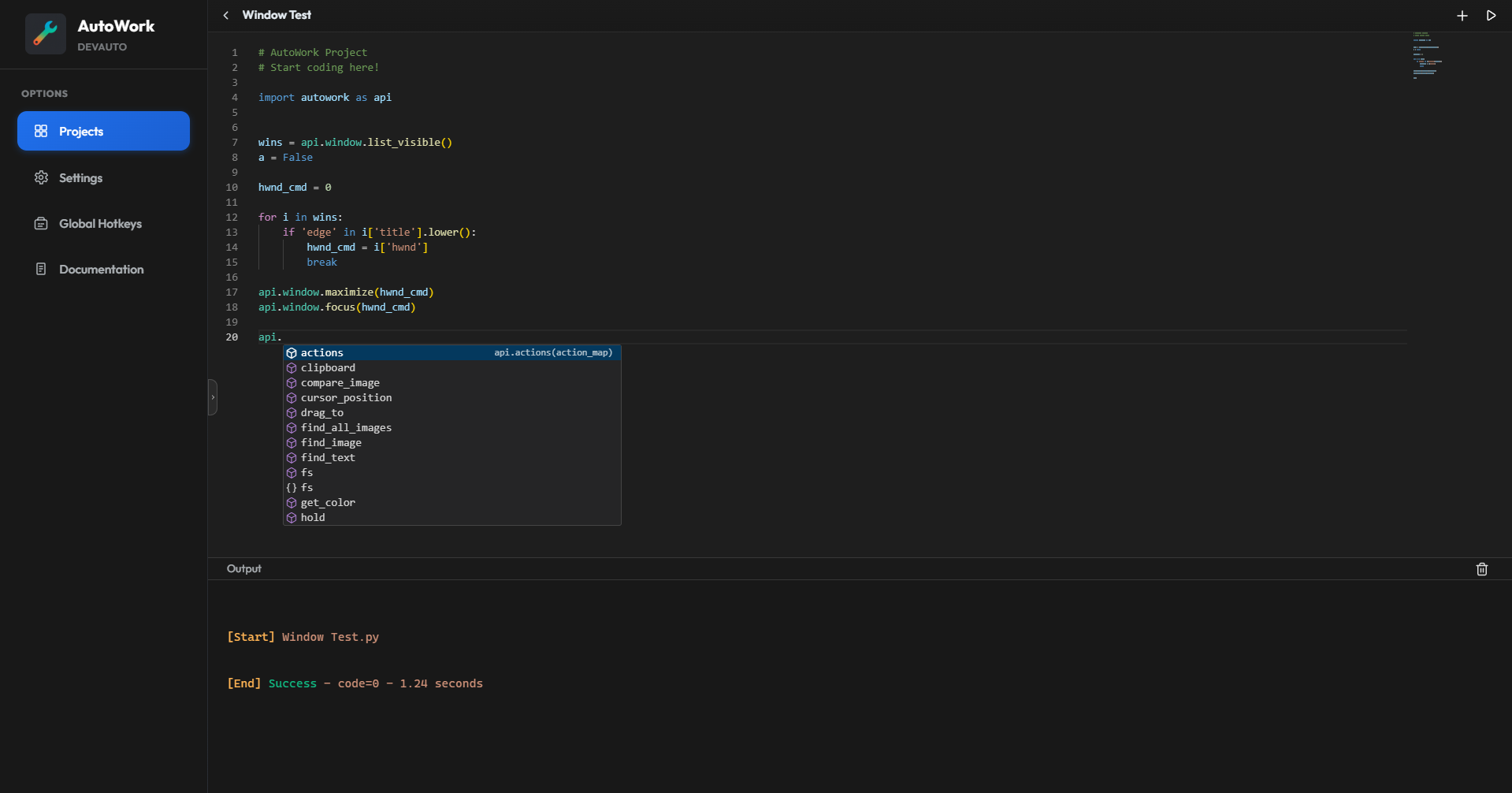
AutoWork IDE
What's inside

Everything you need to automate Windows.

A complete Python API covering every layer of the desktop. from low-level input injection to screen vision, file management, and process control.

Low-level Input Injection

Mouse and keyboard events are delivered through Windows SendInput for precise, high-performance control. Supports human-like mouse movement modes with natural micro-variation paths.

Screen Vision and OCR

Find UI elements on screen by image template with configurable similarity thresholds and directional scan modes. Extract text from any screen region with built-in OCR, Unicode-aware across multiple languages.

System-wide Hotkeys

Register Windows-level shortcuts that fire from any active application. Each rule supports Run only, Stop only, or Run/Stop toggle. Works fully headless via the CLI listener without any GUI overhead.

Full File System Control

Read and write text and JSON files, manage directories, copy, move, rename, and delete. List and kill running processes, play audio files silently in the background. all from one unified fs.* namespace.

Window Management

List, focus, maximize, minimize, resize, and move any window on the system. Enumerate all windows or only visible ones. Your scripts can reorganize the desktop on the fly based on what is currently running.

CLI and Headless Execution

Run any saved project from Command Prompt or PowerShell with autowork run. List all projects with autowork list. Start the hotkeys listener with autowork hotkeys. no interface needed.

Getting started

Up and running in minutes.

Buy once, install, unlock. No subscription, no telemetry, no internet connection required after activation.

1

Buy your license

Click the Buy License button. On the checkout page enter your first name, last name, and email address to complete the purchase.

2

Check your inbox

Your license key arrives by email as soon as the payment is confirmed. Keep it. you will need it on first launch to activate the application.

3

Install the application

Download and run AutoWork-Setup.exe. If your browser blocks the download (Edge or Chrome), click the download menu, then "Keep" or "Show more", and choose "Keep anyway" to save the file.

If Windows SmartScreen appears, click the blue link "More info", then click "Run anyway". This is the standard Windows security prompt for unsigned apps.
4

Unlock and start

Open AutoWork. Paste your license key in the activation screen and click Unlock. The app activates immediately and you can create your first project right away.

Ready to automate?

One license, one machine, no expiry. AutoWork runs entirely offline. your scripts and data never leave your device.